Skip to content
  • Documentation
  • Login
  • Register

The new CTR has been launched. The CTRs already in this system will remain until completed and archived.
New CTRs should be submitted on the new version. (ctrapp.info)

CTR Tool
  • Documentation
  • Login
  • Register

The new CTR has been launched. The CTRs already in this system will remain until completed and archived.
New CTRs should be submitted on the new version. (ctrapp.info)

CTR Tool
betterdocs-category-icon

Contractor

6
  • How to Login
  • How to Reset Password
  • How to Register/Create an account
  • How to see all My Requests
  • See Request details
  • Update Personal Information
betterdocs-category-icon

Staff

14
  • How to Login
  • How to Reset Password
  • How to Register/Create an account
  • Update Personal Information
  • How to see Requests assigned to me
  • How to open a request assigned to me
  • How to manage all requests
  • How to manage a request from the Dashboard
  • How to see requests analytics
  • How to print a request
  • How to create a signature
  • How to add a Personal Note
  • How to add a Private Note
  • How to edit a request
View Categories
  • Home
  • Docs
  • Staff
  • How to see requests analytics

How to see requests analytics

< 1 min read

0:00 / 0:10
  • View as Markdown Open this page as plain Markdown (opens in a new tab)
  • Open in ChatGPT Ask questions about this page (opens in a new tab)
  • Open in Claude Ask questions about this page (opens in a new tab)
  • Open in Google AI Studio Ask questions about this page (Google account required) (opens in a new tab)

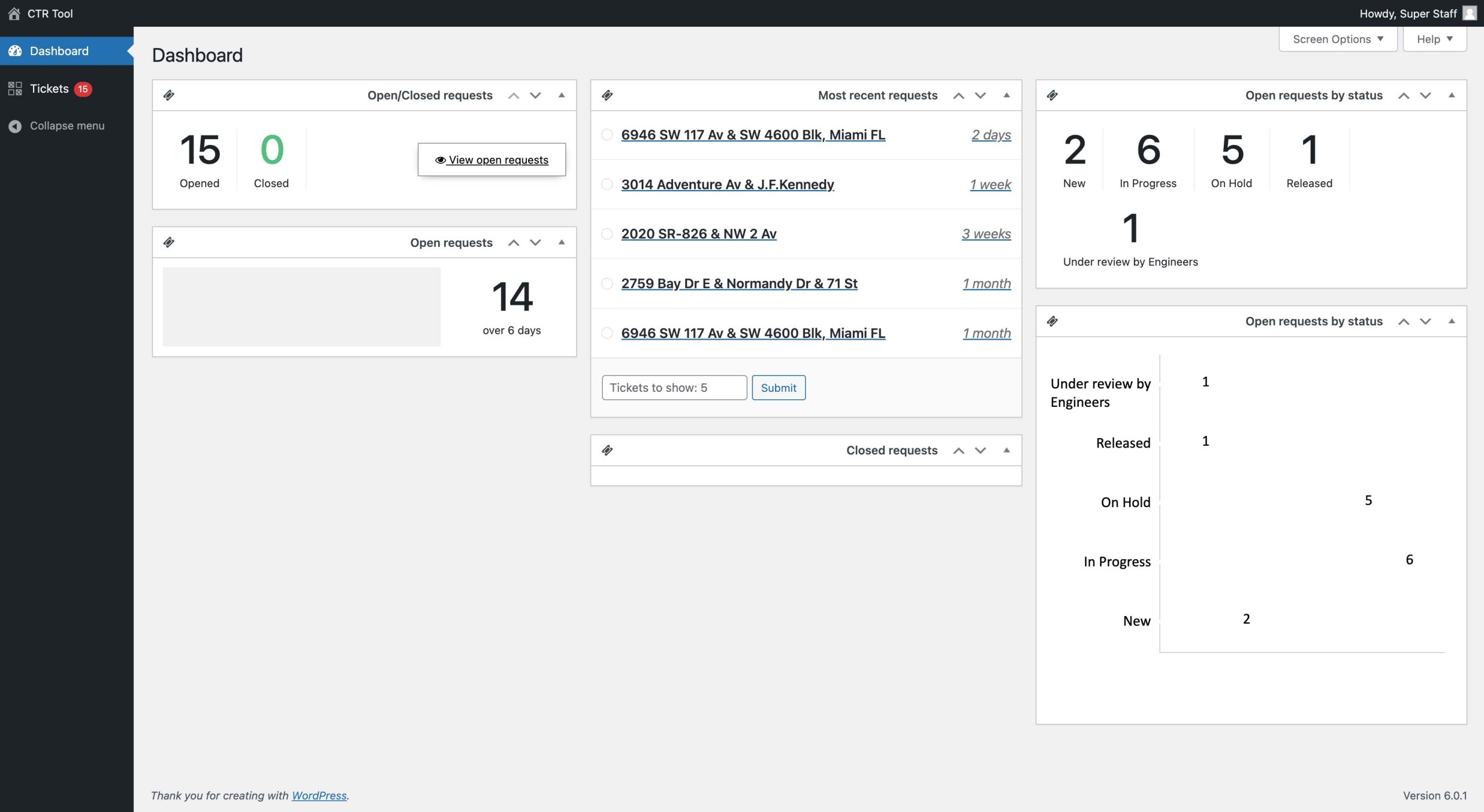
Clicking on the Dashboard link in the menu gives you an overview of the Staff Team’s performance and requests analytics.

The dashboard widgets can be positioned based on your preferences.
Still stuck? Contact our Support Team

How can we help?

Updated on April 21, 2023
How to manage a request from the DashboardHow to print a request

Copyright 2026